Moss-Machines-Magic-the-Gathering-sorting
Moss Machine - Open Source Magic: The Gathering - MTG - Sorting & Recognition

Welcome to the Moss Machine project! This open-source initiative provides a comprehensive system for automating the sorting, recognition, and management of Trading Card Game (TCG) cards. The system supports 317 different card games including Magic: The Gathering, Pokemon, Yu-Gi-Oh!, and many others.
Overview
The Moss Machine combines perceptual hash-based computer vision, multi-threaded processing, and hardware integration to create a high-performance, scalable card sorting solution. Whether you’re a collector, player, or developer, this project offers tools and guidance to build your own automated card sorting system with speeds capable of processing cards in under 2 seconds per scan.
Features
-
Open Source & Community Driven
Fully open source code with transparent development. Contributions and modifications are encouraged—please credit the original source when creating derivatives. - Multi-Game Support
- Supports 317 different trading card games from a unified SQLite database
- Includes Magic: The Gathering, Pokemon, Yu-Gi-Oh!, Flesh and Blood, Lorcana, and 300+ more
- Filterable by game, set, rarity, and foil type for precise scanning
- Automatic database download from server if not found locally
- High-Performance Recognition Engine
- Perceptual hashing (pHash) with 256-bit hash using 16x16 hash size for robust image matching
- RGB channel separation - computes separate hashes for Red, Green, and Blue channels for improved accuracy
- Multi-threaded scanning - parallel processing across games with 8 worker threads by default
- Early termination - stops scanning immediately when exact match (distance = 0) is found
- Hash caching - optional in-memory cache for popular games (Magic, Pokemon, Yu-Gi-Oh) for faster repeat scans
- Adaptive threshold scanning - progressive tightening from strict to relaxed thresholds
- Quick distance pre-filtering - rejects bad matches early using single-channel checks
- Hamming distance calculation for fast hash comparison
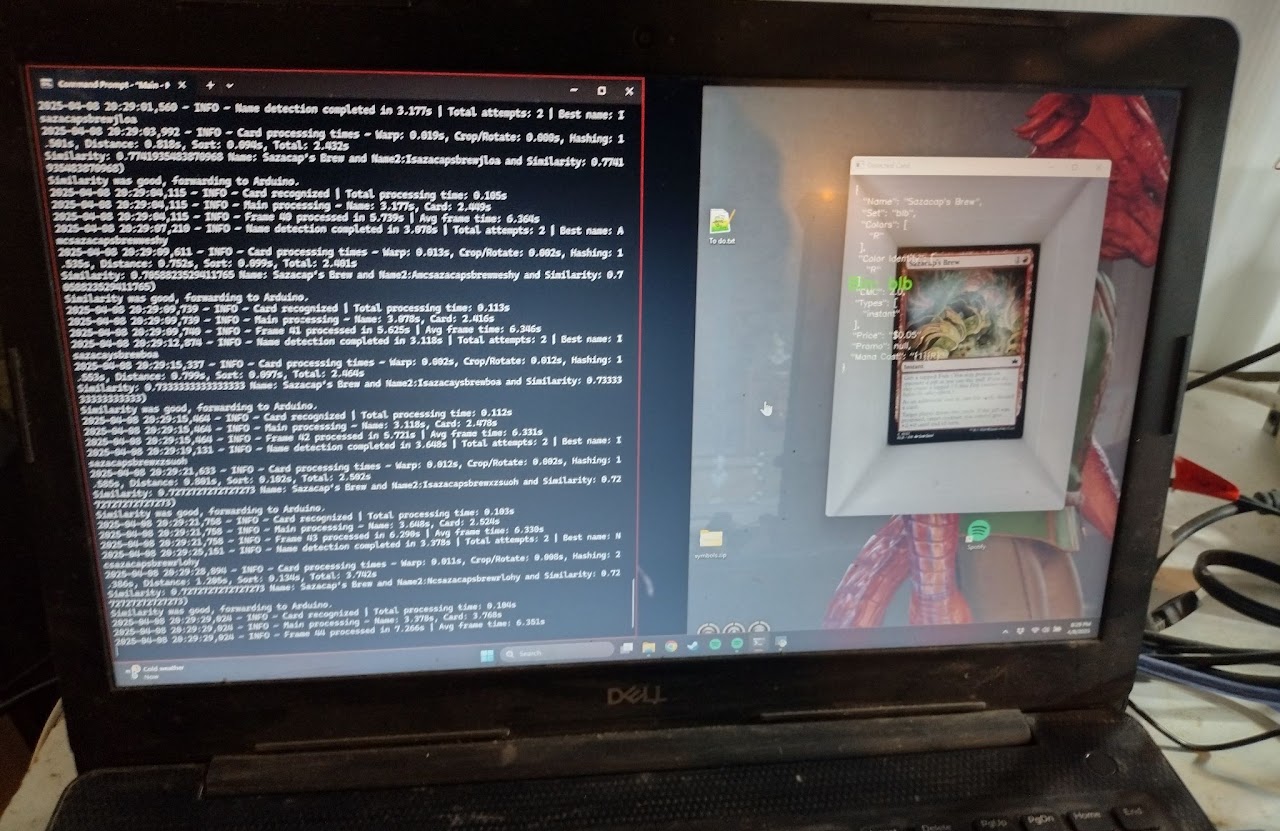
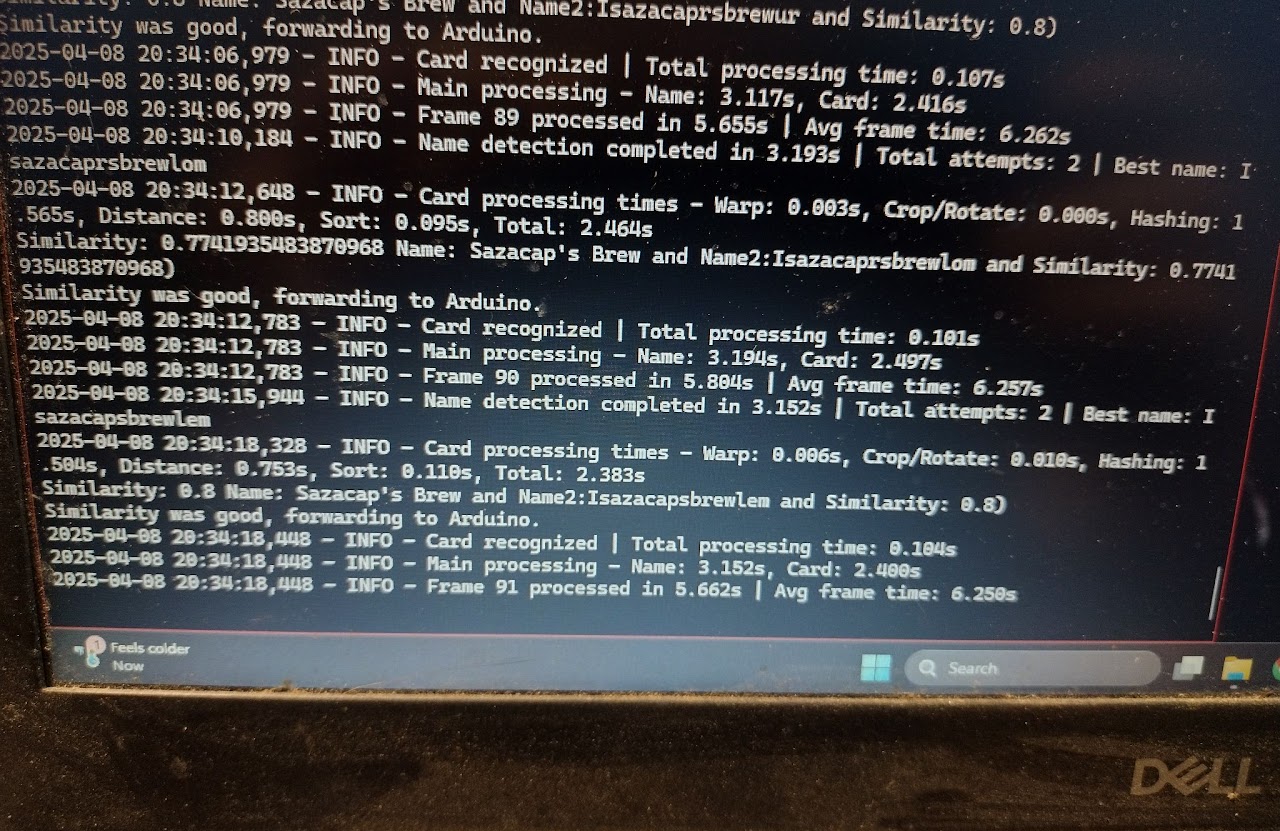
- Average scan time -: ~2 seconds per card across 317 games
- Advanced Image Processing
- OpenCV-based card detection with contour finding and perspective correction
- Automatic card orientation - handles cards at any angle with 4-point perspective transform
- Region-based hashing - uses top-left 745x745px crop for consistent hash generation
- VL6180X ToF sensor integration - hardware distance sensing for precise Z-axis control during pickup/release
- Real-time camera feed processing with automatic card detection
- Flexible Sorting Modes
- Color sorting - White, Blue, Black, Red, Green, Multicolor, Colorless, Land (Basic/Nonbasic)
- Mana value (CMC) - Bins from 1-8+ with overflow handling
- Set code - Sort by expansion/set with token detection
- Price-based - 14 price brackets from $0.02 to $128+ with configurable thresholds
- Card type - Creature, Artifact, Enchantment, Instant, Sorcery, Planeswalker, Battle, Land, Token
- Alphabetical (A-Z) - First letter sorting with 0-9 bin for numbers/symbols
- Rarity - Common, Uncommon, Rare, Mythic, Special, Bonus, Promo
- Finish - Foil, Nonfoil, Both (for cards with multiple finishes)
- Buy mode - Custom price threshold for purchase evaluation
- Hardware Integration
- Arduino Mega control via serial communication (PySerial)
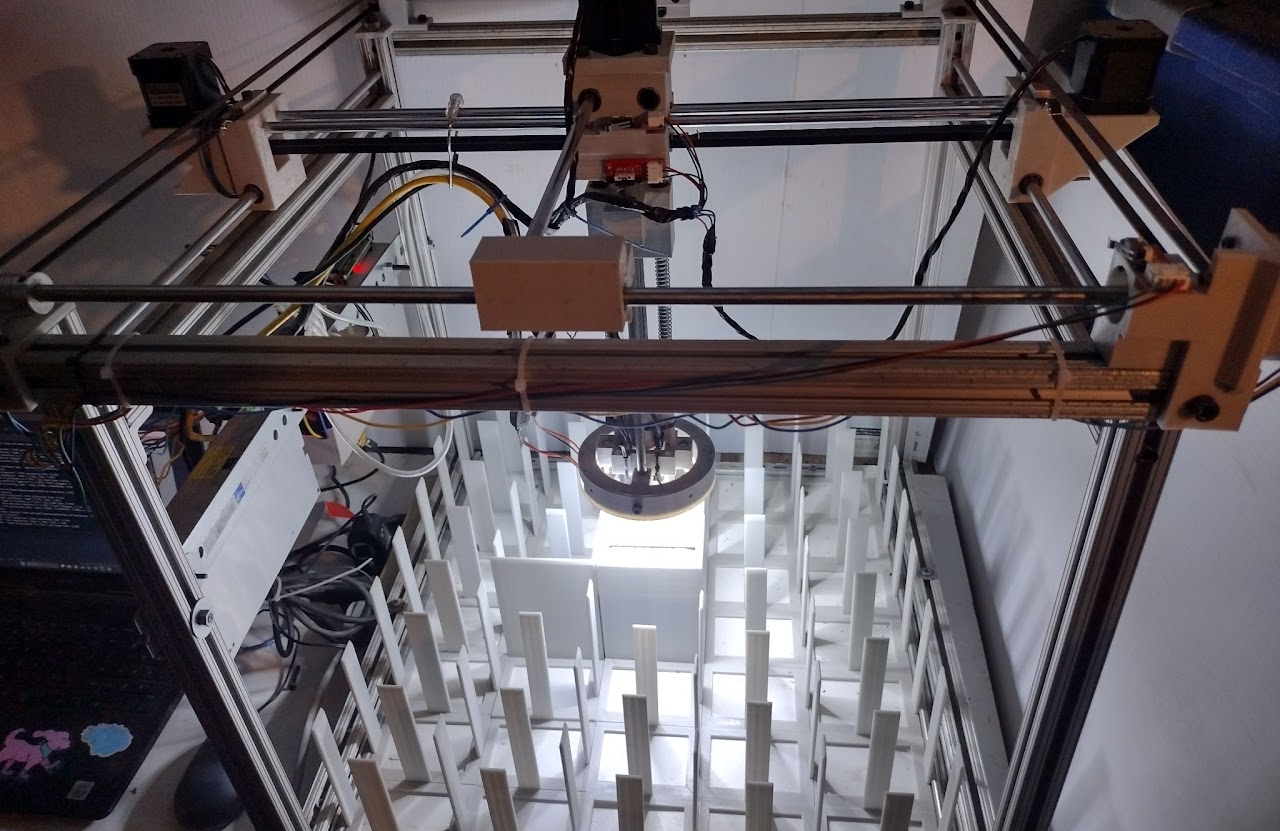
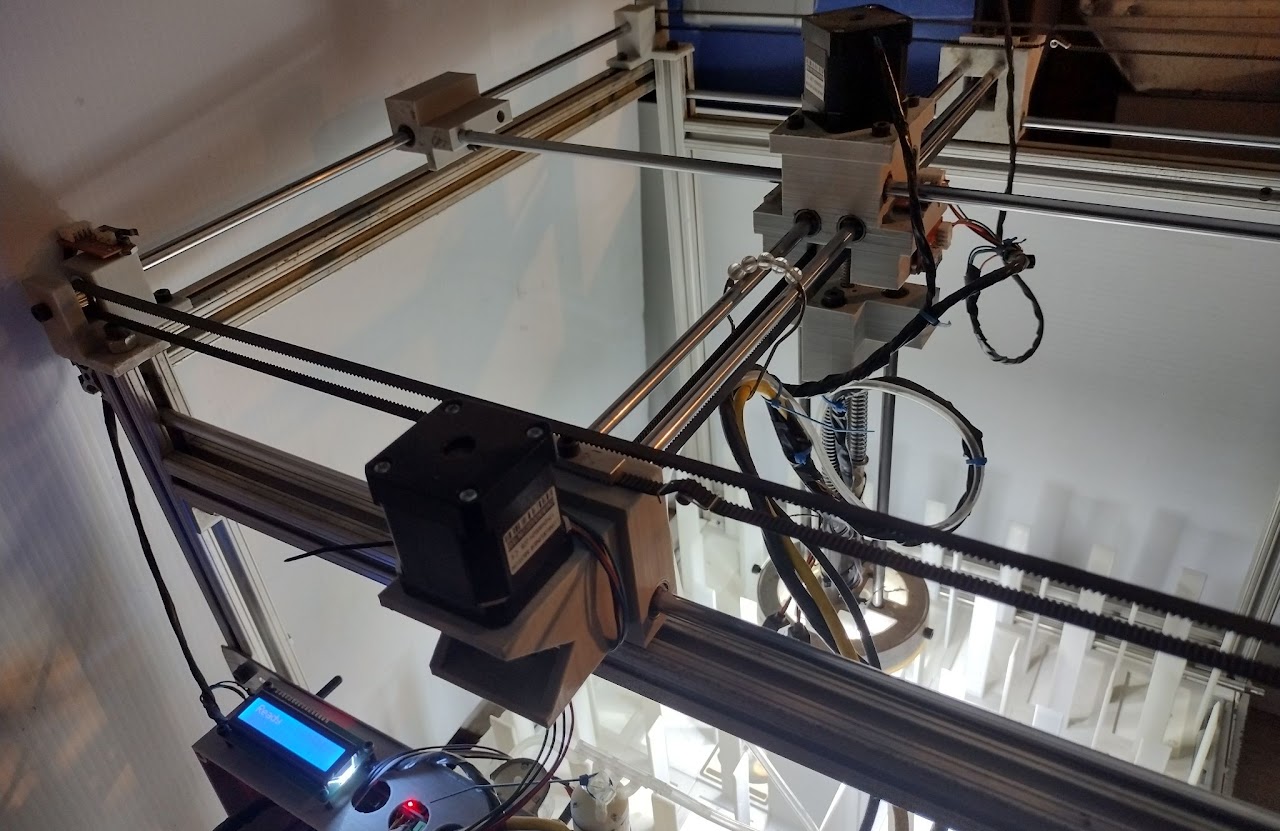
- 3-axis stepper motor control (X, Y, Z axes plus dual E-motors for coordinated movement)
- Endstop sensors on all 6 positions (X/Y/Z min/max) for safety and homing
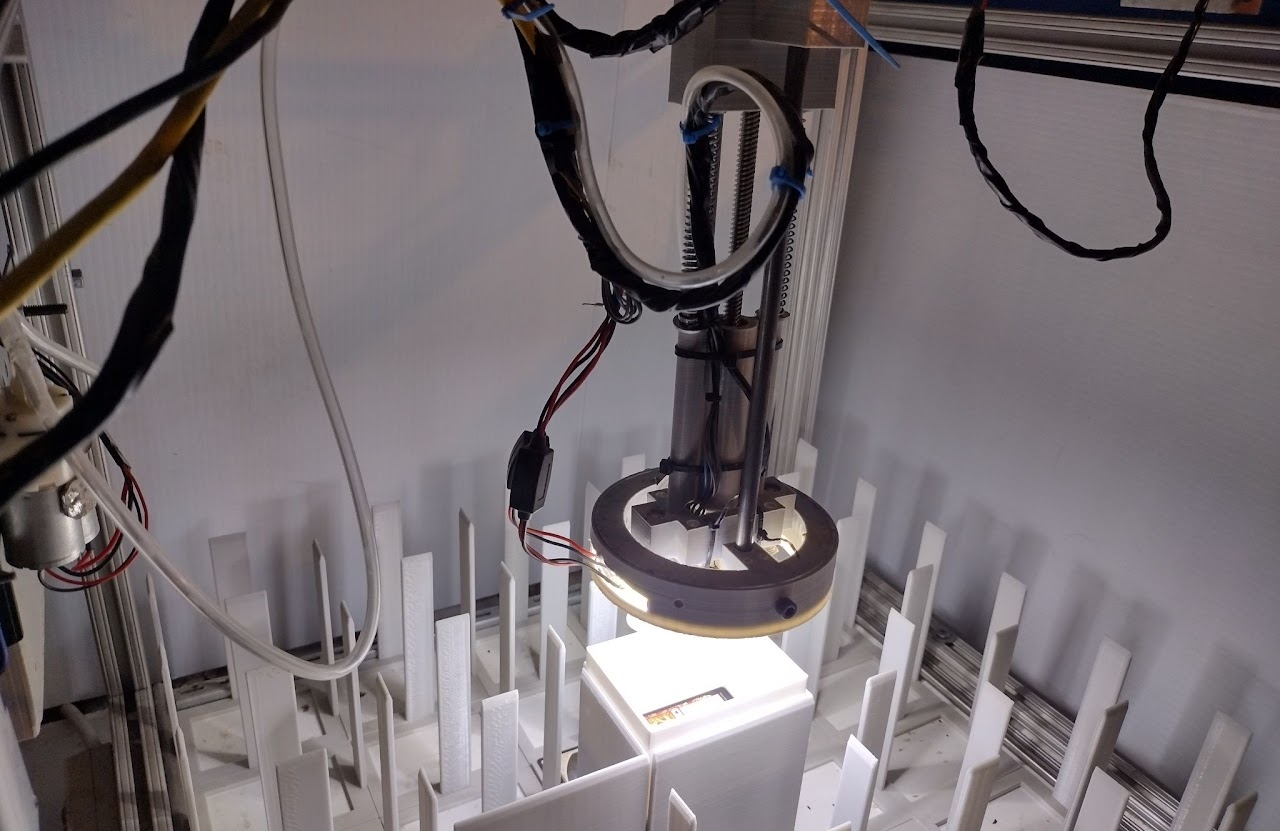
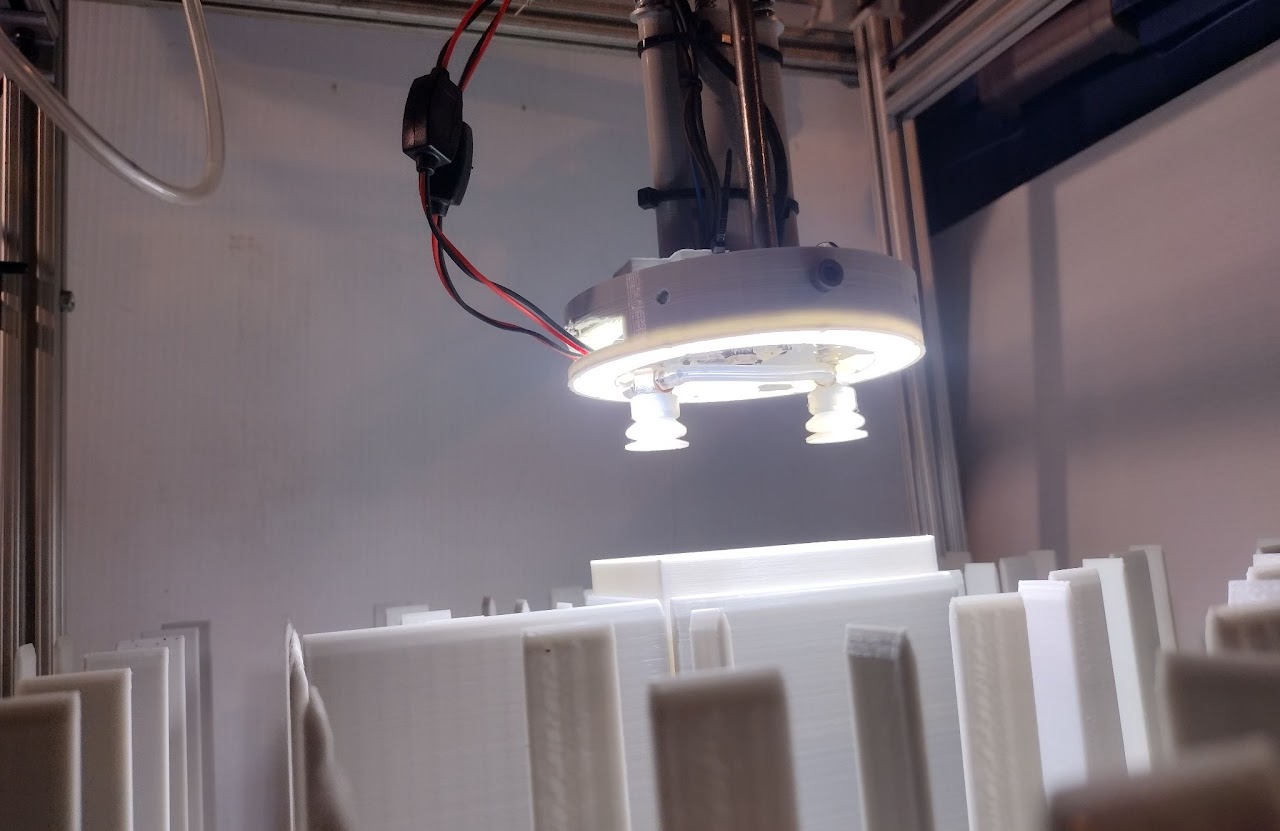
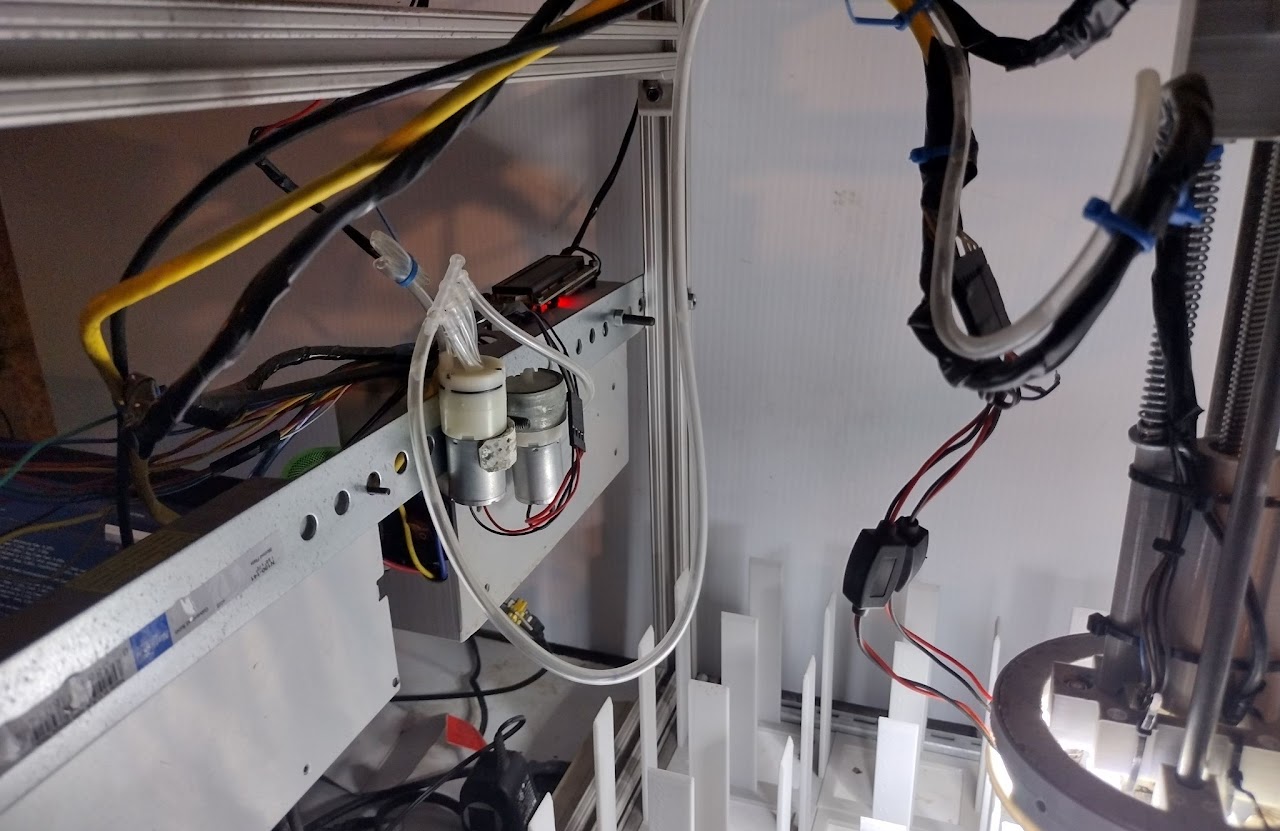
- Dual vacuum system - separate pickup and release control
- LED lighting control for optimal camera visibility
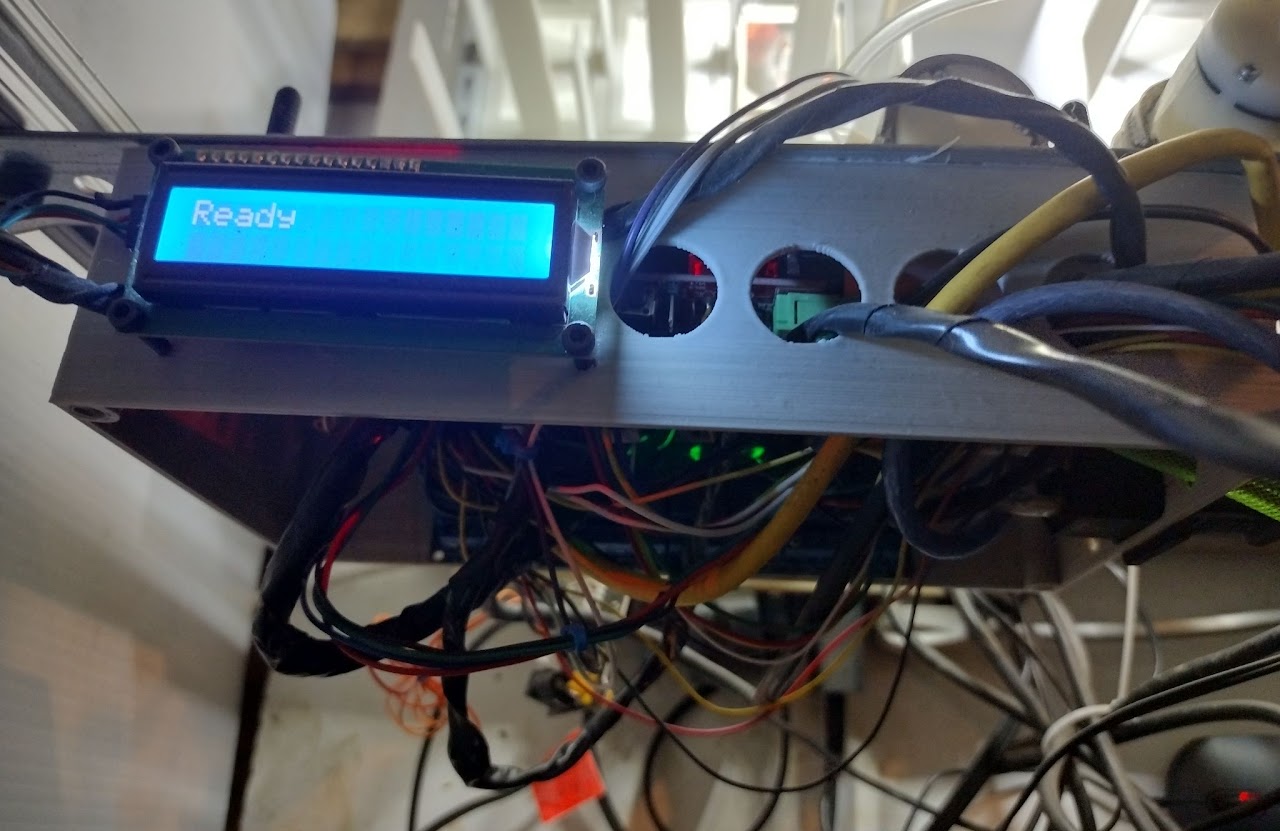
- 16x2 LCD display (I2C) for real-time machine status
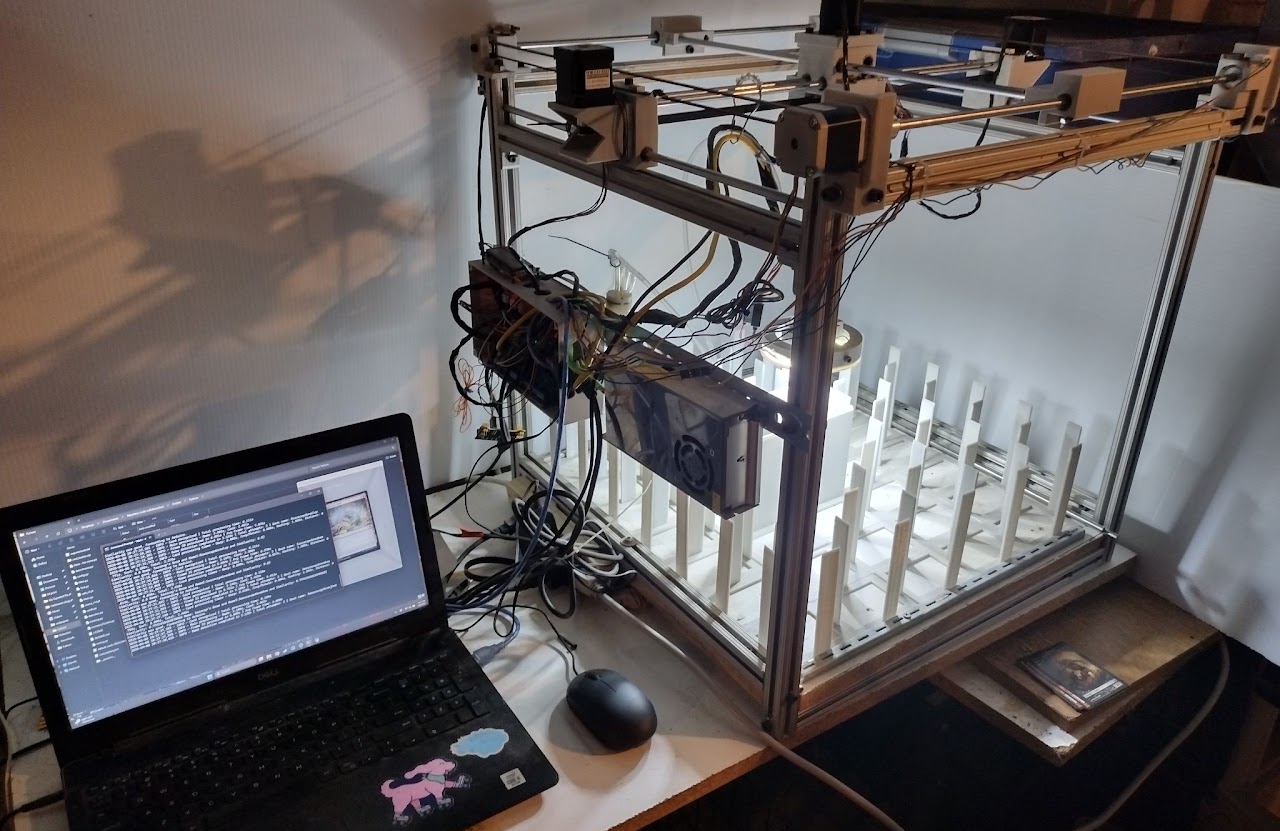
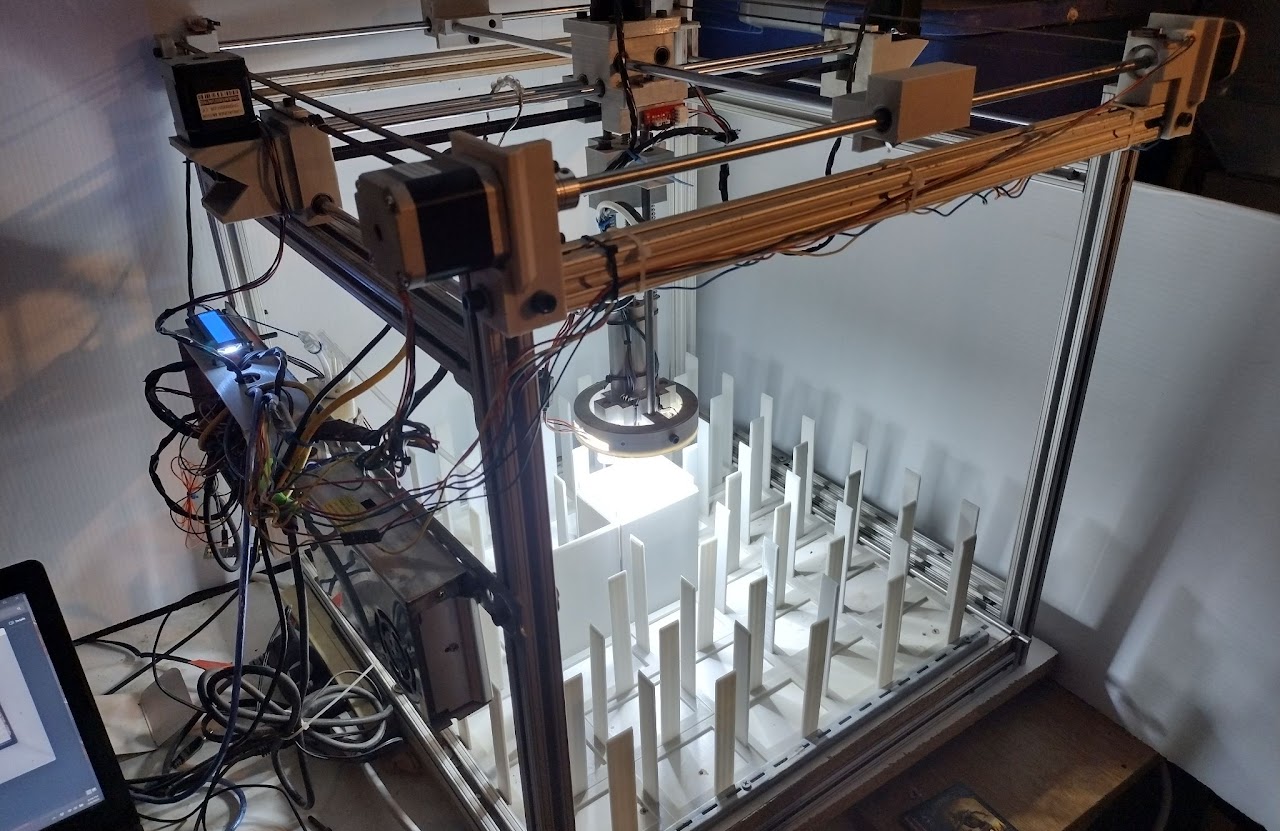
- 34-tray sorting system with configurable tray assignments
- Automatic homing and calibration with configurable course correction
- Overflow tray (34) and reject bin (33) with automatic routing
- Configurable parameters: pickup/drop distances, movement speeds, thresholds, calibration multipliers
- Safety features: endstop monitoring, retry logic (10 attempts), timeout handling
- Start/Stop machine states - prevents accidental movements during parameter changes
- GUI Control Interface
- Enhanced Tkinter GUI with tabbed interface (Scanner, Arduino, Export)
- Live camera feed display with real-time card detection overlay
- Manual and auto-scan modes with configurable cooldown
- Arduino monitoring - real-time sensor data display (range, endstops, motor states)
- Motor control panel - manual control of X, Y, Z, E0, E1 motors
- Parameter upload/fetch - live parameter editing and synchronization
- CSV export - scan history with auto-export option
- Inventory tracking - reject duplicate cards automatically
- Game/Set/Rarity/Foil filters with dropdown selection
- Status logging with color-coded messages
- Performance & Reliability
- Detailed statistics - tracks scans, total time, average time, cards checked, cache hits
- Retry mechanisms - up to 10 pickup attempts with distance sensor verification
- Periodic homing - automatic recalibration every N cards (configurable)
- Course correction - fine-tune X/Y positioning to prevent drift
- Thread-local database connections for safe multi-threading
- Confidence scoring - percentage-based match quality with configurable minimum thresholds
- Duplicate detection via inventory file tracking
- Command Line Interface
- Interactive mode with sorting menu
- Realtime webcam mode for continuous scanning
- Single-image scanning with detailed match output
- Game/set/rarity/foil filtering via command-line arguments
- List all games, sets, rarities, and foil types
- Adjustable threshold and top-N results
- Cache preloading option
- Serial port and baud rate configuration
- Configurable & Extensible
- All movement parameters configurable (speeds, distances, calibration multipliers)
- Adjustable hash matching thresholds (default: 10, lower = stricter)
- Customizable tray assignments with automatic overflow
- Price threshold configuration for buy mode
- Worker thread count adjustable (default: 8)
- Scan cooldown adjustable (default: 2.0 seconds)
- Game-specific foil type and rarity detection
- Technology Stack
- Python 3: OpenCV (cv2), ImageHash, Pillow (PIL), PySerial, NumPy, SQLite3, Threading, Tkinter
- Database: Unified SQLite database with 317 game-specific card tables, games table, sets table, and others (future development)
- Arduino: C++ firmware for Mega 2560, Stepper motor control, I2C LCD, VL6180X ToF sensor (Adafruit library)
- Hardware: RAMPS 1.4 board, A4988 stepper drivers, NEMA 17 motors, endstop switches, vacuum pumps, LED strips
System Architecture
Software Components
- optimized_scanner.py - Core recognition engine
OptimizedCardScannerclass with multi-threaded game scanning- Perceptual hash computation and comparison
- Database connection pooling (thread-local connections)
- Adaptive threshold scanning
- Serial communication with Arduino
- Real-time webcam mode
- Command-line interface with extensive filtering options
- gui_interface_enhanced.py - GUI control interface
- Tabbed interface (Scanner, Arduino, Export)
- Live camera feed with card detection visualization
- Arduino parameter management and monitoring
- CSV export with scan history
- Game/Set/Rarity/Foil filtering
- Auto-scan and manual scan modes
- Main.ino - Arduino firmware
- 3-axis stepper motor control (X, Y, Z + E0, E1 dual drive)
- VL6180X ToF sensor integration for distance measurement
- Endstop monitoring (6 endstops: X/Y/Z min/max)
- Dual vacuum system control
- LCD status display (16x2 I2C)
- Serial command parser with start/end markers
- 34-tray coordinate system with automatic routing
- Homing and calibration routines
- State machine (Stopped/Started) for safe operation
Database Structure
- unified_card_database.db (SQLite)
gamestable: 317 games with ID, name, display_name, total_cardscards_*tables: One table per game (e.g., cards_magic, cards_pokemon, cards_yugioh)setstable: Set information per game with set codes and card counts- Card columns: unique_id, product_id, set_code, rarity, name, series, number, prices (low/mid/high/market/imputed), subTypeName (foil type), has_image, phash (r_phash, g_phash, b_phash), extCardType
- Optional: SKU columns (111 columns for condition/language/printing combinations)
Hardware Components
- Arduino Mega 2560 - Main controller
- RAMPS 1.4 - Motor driver board
- A4988 Stepper Drivers (5x) - Motor control
- NEMA 17 Stepper Motors (5x) - X, Y, Z, E0, E1 axes
- VL6180X ToF Sensor - Distance measurement (I2C)
- Endstop Switches (6x) - Limit switches for safety
- 16x2 LCD Display (I2C) - Status display
- Vacuum Pumps (2x) - Card pickup and release
- LED Strip - Lighting for camera
- Webcam - Card image capture
Quick Start
Software Setup
- Install Python dependencies:
pip install opencv-python pillow imagehash pyserial numpy - Database:
- Place
unified_card_database.dbin the project directory - Or let the scanner auto-download from configured server URLs
- Place
- Run the scanner:
# Command-line mode (single image)
python optimized_scanner.py card.jpg --cache

# Interactive mode with Arduino
python optimized_scanner.py --interactive --serial-port COM3

# Realtime webcam mode
python optimized_scanner.py --realtime --cache

# GUI mode
python gui_interface_enhanced.py
Arduino Setup
- Install Arduino libraries:
- LiquidCrystal_I2C
- Adafruit_VL6180X
- Wire (built-in)
- Stepper (built-in)
-
Upload Main.ino to Arduino Mega 2560
- Connect hardware:
- RAMPS 1.4 to Mega
- Stepper motors to X, Y, Z, E0, E1 outputs
- Endstops to min/max pins
- VL6180X sensor to I2C (SDA/SCL)
- LCD to I2C
- Vacuum relays to pins 9 & 10
- LED to pin 8
- Configure serial port in Python scripts (default: COM3, 9600 baud)
Usage Examples
# List all supported games
python optimized_scanner.py --list-games

# List sets for Magic (game ID 167)
python optimized_scanner.py --list-sets 167

# Scan a card, filter to Magic only
python optimized_scanner.py card.jpg -g Magic --cache

# Scan with set filter (Alpha and Beta)
python optimized_scanner.py card.jpg -s LEA -s LEB

# Filter by foil type and rarity
python optimized_scanner.py card.jpg -f Foil -r M -r R

# Adaptive scan with relaxed thresholds
python optimized_scanner.py card.jpg -t 20 --min-confidence 70
Configuration
Scanner Parameters (optimized_scanner.py)
max_workers: Thread pool size (default: 8)cache_enabled: Enable in-memory hash caching (default: True)threshold: Match threshold, lower = stricter (default: 10)top_n: Number of top matches to return (default: 10)min_confidence: Minimum confidence % for Method 1 (default: 85.0)scan_cooldown: Seconds between auto-scans (default: 2.0)
Arduino Parameters (Main.ino)
Xcal,Ycal,Zcal: Movement calibration multipliers (350, 475, 140)speed: XY movement speed in microseconds (default: 700)zspeed,zespeed: Z-axis speeds (75, 120)initial_pickup_distance: Z distance to pickup position (6000 steps)initial_drop_distance: Z distance to drop position (4000 steps)pickup_threshold: Distance threshold for successful pickup (40mm)release_threshold: Distance threshold for successful release (40mm)HCC: Homing cycle count - rehome every N cards (default: 10)XCourseCorrection,YCourseCorrection: Fine-tune positioning (0, 1)
Tray Layout (Main.ino)
- Trays 1-32: Configurable card bins
- Tray 33: RejectCard bin (reserved)
- Tray 34: OverflowTray (reserved)
- Coordinate arrays:
X[6][5]andY[4][7]define physical tray positions
Pictures
Disclaimer
- The project is open source and may evolve significantly over time.
- All code is thoroughly tested but may require calibration based on your hardware setup.
- Use caution—never put valuable cards in the machine without testing.
- If you modify or create your own variations, please credit the original source.
Build Your Own
Get Started
- All necessary files, including code, 3D print files, and hardware schematics, are available in this repository.
- Follow the detailed instructions within the Discord under #assembly
Legal & Usage Notice
Disclaimer:
This system is intended for hobbyist and educational use. Always test with non-valuable cards first. Handle valuable or rare cards with care—never trust automated sorting in critical scenarios. The project is open source; use at your own risk.
Connect with Us & Follow
 |
 |
 |
|---|---|---|
| Join our Discord: https://discord.gg/2gNWpV6UjW |
Reddit: r/MossMachine |
Repository: GitHub |
Support
Help keep my motivation
- Patreon - https://www.patreon.com/KairiCollections
- By me a coffee - https://www.buymeacoffee.com/KairiCollections
- Ko-fi - http://ko-fi.com/kairiskyewillow
Other non-related support:
- https://www.etsy.com/shop/KairiCollections
Acknowledgments & License
This project is licensed under the Creative Commons Attribution-NonCommercial-ShareAlike 4.0 International License (CC BY-NC-SA 4.0).
Please give credit to the original authors when creating derivatives.
Happy Sorting!